
POS and Order Management Software
Modern POS software with features built for today's retail market Free 21 Day Trial
Join the 25,000+ retailers globally that have purchased MicroBiz
Affordable Cloud-based Software
With plans starting at $60/mo with no upfront fees, MicroBiz is a great value!
Seamless Integrated Payments
Transparent low cost interated payments with no monthly or PCI fees.
Free Launch Services and Training
New subscriptions include free launch services to help import your products and customers.
Modern cloud-based POS and order management software for retail and wholesale businesses
Streamline your front register transactions and automate special customer orders, inventory management, customer accounts, purchasing and receiving and more. The MicroBiz POS system for small business is designed to be simple-to-use yet can support the growth of your retail operations and enable you to make the best decisions for your business.
Twelve MicroBiz Cloud features that can improve your store’s profitability
There are lots of affordable POS systems for small businesses in the market so it can be tough to differentiate alternatives for point of sale and inventory management. Here are a few key features that separate the MicroBiz Cloud POS system for small businesses from other cloud-based POS software.

Work Orders/Service Job Management
Manage a services business with work orders. Check in customer items, enter service descriptions, add parts and service and collect deposits.
Read more

Integration with QuickBooks Online
Integration with QuickBooks Online offers one-touch publishing of register batch data to mapped GL accounts in QuickBooks.
Read more

Serial Numbers/Serialized Inventory
Handle serialized inventory with ease. Attach serial numbers when receiving items to stock, selling items at the front register or prepping orders for deliveries or pick ups.
Read more

Delivery/Order Management
Take phone orders, schedule deliveries and manage in store pick ups and layaways. Sort orders by due date, status, employee and delivery, in store and ship..
Read more

Special Order Workflow
Track special ordered items from initial sale through the fulfillment process. Automatically link special orders to customer orders when receiving shipments.

Credit Accounts/AR Statements
Bill sales to customer credit account, generate AR statements and collect payments on account. Statements include transaction activity and aging buckets.
Read more

Matrix Products
Sell and manage matrix or configurable products with up to three attributes (color, size, other). Reusable attribute sets eliminate need to manual enter variants each time a product is created.
Read more

Customer-based Pricing
Set different price levels based on customer type (retail, wholesale, etc). Special pricing can be based on discount off retail, mark-up over cost or targeted margin.

Integration With WooCommerce
Integration with WooCommerce allows you to sync inventory between your store and website and manage online sales in MicroBiz.
Read more

Enterprise Class Inventory Management
Create POs and receive vendor shipments with or without a PO. Speed the creation of POs with instant PO creation using mix/max reorder points, backorders or replacing sales over a date range.
Read more

Multi-store Inventory/Transfers
One touch look up of stock at other locations from front register. Set different prices per store and transfer inventory between stores.

Vendor Catalogs
Search vendor catalogs and ‘pull’ product records into your MicroBiz store with one click. Speeds the selling and ordering of new items by instantly populating the order with the item’s name, SKU, UPC and other data.
Read more
Everything you need to automate your retail operations
 Point of Sale
 Customer Orders
 Service Department
 Inventory Management
 Products and Pricing
 Customer Management
 Purchasing Receiving
 Credit Accounts
 Multi-Store
 Integrations
 Reporting and Analytics
 Store Management
Ring up Sales Quickly and Easily
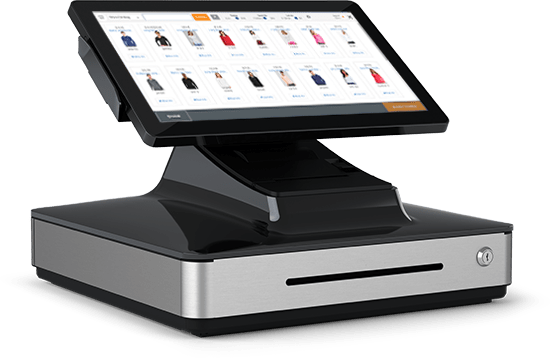
Scan items into the register using bar codes – or add items with one touch. Discount items, groups of items or entire transaction. Print or email receipts to customers. It’s so intuitive that employees will be able to use the POS application with almost no training.
Manage Special Orders, In-store Pick Ups and Phone Orders
Manage the sale of items to be picked-up, delivered or shipped at a later date. Manage layaways and create special orders for items not in stock. Print quotes, estimates and invoices. Collect a deposit or full payment.
Operate an In-Store Service and Repair Department
Print quotes, estimates, invoices and claim tickets. Check-in customer owned items, enter detailed description of work, add parts and services and assign to an employee. Manage due dates and collect a deposit with ease.
Track Real-time Inventory Across Multiple Locations
Real-time centralized view of inventory levels at all your stores from any register. Generate bar coded price tags and track replacement and average costs. Import new products and updates via CSV files.
Manage Simple and Matrix Products and Customer-based Pricing
Support of configuable/matrix products and customer-based special pricing levels or discounts. Flexible pricing rules (% of $ discount or mark-up, margin, set price, etc.) and time-based and quantity-based discounts.
Track Customer Sales for Viewing from Front Register
View of customer activity across all locations. Issue and redeem store credits and gift cards. See all the items purchased in the past by customer with one touch from the front register.
Create Purchase Orders and Receive Vendor Shipments
Create purchase orders and recieve vendor shipments quickly and easily. Speed-up ordering with min/max auto stock replenishment tools. Flag special orders when receiving vendor shipments.
Offer Credit Accounts, Send Statements, Collect AR
Process ‘charge to account’ transactions. Assign authorized users to a credit account, allowing purchases to be billed to a central account. Set credit limits, generate customer statements and collect AR payments.
Manage Multiple Stores including Store Transfers
Ability to manage multiple stores through real-time multi-store inventory management, order management and reporting. Set up different pricing and costs by store. Transfer items and orders between stores.
Extend Functionality by Integrating with 3rd Party Apps
Integrations with popular apps such as WooCommerce and QuickBooks Online allow you to sync inventory and sales between your store and website and publish financials to your accounting system.
Flexible and Customizable Reporting into Store Activities
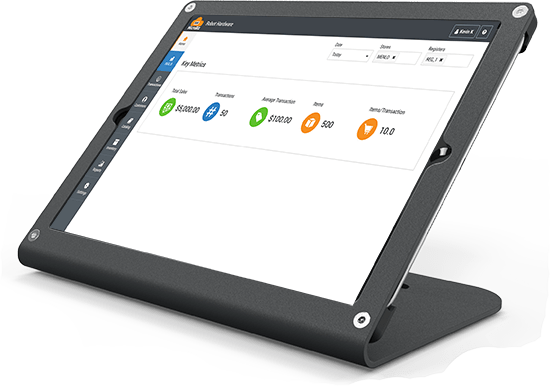
MicroBiz comes with a variety of product, sales and customer reports, including a management dashboard displaying key metrics. All reports are customizable and can be exported to PDF and CSV files.
Customizable to Fit Your Business Needs
Flexible management settings enable you to customize the system to meet your needs. Customizable receipt templates and employee roles and restrictions and dozens of other management settings.
MicroBiz Cloud is getting recognized for its quality and functionality







Sync financial data to QuickBooks Online with one touch
To automate your financial reporting, MicroBiz Cloud has a direct API integration with QuickBooks Online, the #1 cloud-based financial accounting software for small businesses. Your information is sent seamlessly to QuickBooks with a press of a button.
Get Up And Running in Minutes
Use the set-up wizard in MicroBiz to quickly map your register data to the appropriate GL account in QuickBooks.
Sync Register Batch Data With QuickBooks
Publish register batch data from all your registers to QuickBooks Online with one click.
Create Vendor Bill Payables when Receiving Goods
Balances due from vendor shipments received can be transferred to QuickBooks as a invoice payable.
What our customers are saying…
“I have looked at all the other POS systems out there and none are as user friendly right out of the box”
“I love MicroBiz. I could not imagine not having your POS program as a part of my business”
“We have a sporting goods store selling over 12,000 products, including clothing, camping, boats, and firearms. MicroBiz was easy to set up and maintain. We can have a new cashier trained and functional their first day”







Connect MicroBiz with your WordPress/WooCommerce site
Enjoy the benefits of selling online by linking your point of sale system with WooCommerce – the world’s #1 free ecommerce platform used by over 250,000 retailers worldwide. Take advantage of the thousands of WordPress and Woo! plugins to expand your business.
Share Product Records
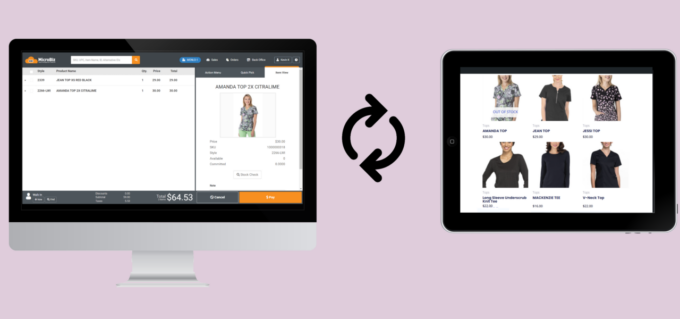
Share product records and images between WooCommerce and MicroBiz.
Sync Inventory Levels
Keep inventory levels in sync between WooCommerce and your stores.
Manage Online Sales in MicroBiz
Pull online orders into MicroBiz, including item purchased, customer data and payments.
Capture Online Customer Data
Capture customer data from online transactions as customer records in MicroBiz.
What types of retailers and small businesses use MicroBiz?
Appliance Stores
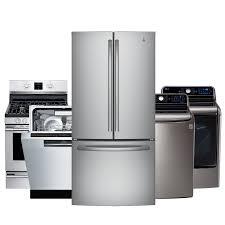 MicroBiz’s Appliance Store point of sale software has all the features required by Appliance Stores. The MicroBiz POS system for small business includes features such as inventory management with reorder points, serial number tracking, service and repair department, layaways, order/delivery management, employee sales tracking, discount management and one touch inventory look-up.
 Furniture and Home Décor Store
Furniture store owners can automate their inventory and purchasing/receiving processes using our Furniture Store POS system. MicroBiz includes support of layaways, customer deposits, quotes, invoices, work orders, deliveries, special orders and other features used by home décor stores. It even supports kits for sales of bundled items in the POS system.
 Nursery and Garden Center Stores
Our Nursery and Garden POS System supports ‘green’ features such as weather proof bar code labels, quick inventory adjustments for damaged items and latin common product descriptions. Also special orders of items not in stock, customer-based pricing, tiered pricing and credit accounts/AR. MicroBiz will allow you to get the best performance out of your garden and pet store POS system.
 Feed and Farm Stores
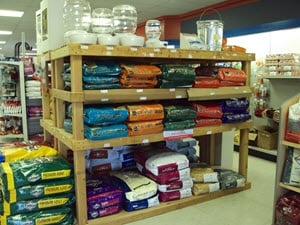
Whether you sell feed and farm supplies, pets and grooming services, or lawn and landscaping products – MicroBiz’s Feed Store Point of Sale can run your business. Our feed store POS software allows you manage inventory, scan barcodes, sell items by fractional quantites (such as weight), manage pick ups and deliveries and offer repairs/work orders. Supports credit accounts/AR and customer-based tiered pricing for wholesale customers in your POS system.
 Pool & Spa Stores
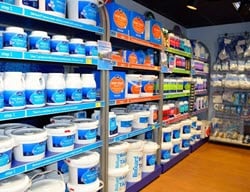
Our Pool & Spa store POS systems manages ordering, recieving and sales of a various types of pool and spa merchandise, parts and services. The MicroBiz Cloud POS system for small business allows you to maintain accurate inventory and also support other business needs such as service orders, deliveries, layaways, phone orders and special orders. Supports credit accounts/AR and customer-based tiered pricing for contractor/wholesale customers – which are some of the top features in hot tub POS software.
 Aftermarket Parts and Repair Businesses
MicroBiz makes it easy to manage an aftermarket parts or service and repair businesses. Using our Repairs and Services POS system, you can check-in a customer item, attach a customer record, print a claim tag, schedule completion dates, assign an employee, add parts and services, collect a deposit and print full page quotes and invoices. Includes service item history and supports the sale and service of serialized items. These are most of the highest rated features in repair POS systems.
 Outdoor and Shooting Sports Stores
No matter what type of sporting goods items you carry, MicroBiz POS software can meet your needs. Our Outdoor Sporting Goods Stores POS system features include size/color/style matrix inventory management, layaways and special orders. It can also manage a service and repair department (for services like repairs and sports uniform customizations) and track serial numbers (for firearms FFL dealers).
 Parts and Business Supplies
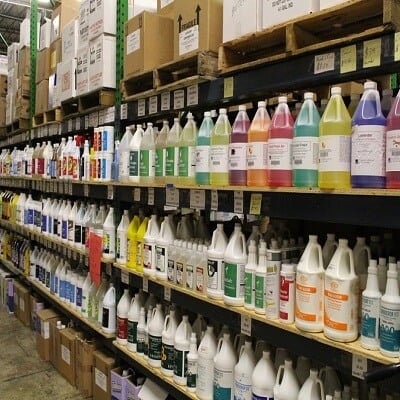
MicroBiz has all the features needed to run a B2C/B2B supply or distribution business, such beauty supplies, janitorial supplies, aftermarket auto parts and appliance parts stores. Includes features such as customer-based tiered pricing, quantity-based pricing, special orders, and customer order management (deliveries, shipments and in-store pick ups). The MicroBiz Industrial Supply POS system supports credit accounts/AR statements for preferred customers.
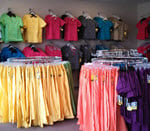 Uniform Stores
Uniform retailers have very special needs vs. most other retailers, so our Uniform Store POS System includes critical features for uniform retailers such as size/color matrix items, special orders, house charge/credit accounts, customer-based pricing, and integrations with uniform vendor catalogs. Can also integrate with an ecommerce site to extend sales of instock items to your online WooCommerce site.
Want to Learn More?
Try MicroBiz for Free!
Want to test MicroBiz out for yourself? Sign up for a free 21 day trial of MicroBiz including all its features. No credit card required.
Schedule One-on-One Online Demo
Want to see how MicroBiz handles your workflow or business needs? Schedule a free one-on-one demo with one of our technical sales reps.
or call us at (702) 749-5353 option 2
Submit a Question or Request
Have a question about MicroBiz software or a request for our sales team? Submit a request directly to MicroBiz using a web form.